See the Workflow in Action.
From the moment a customer sits at the table to the end-of-day profit report—watch how RestoYantra automates your entire restaurant.
The RestoYantra Journey
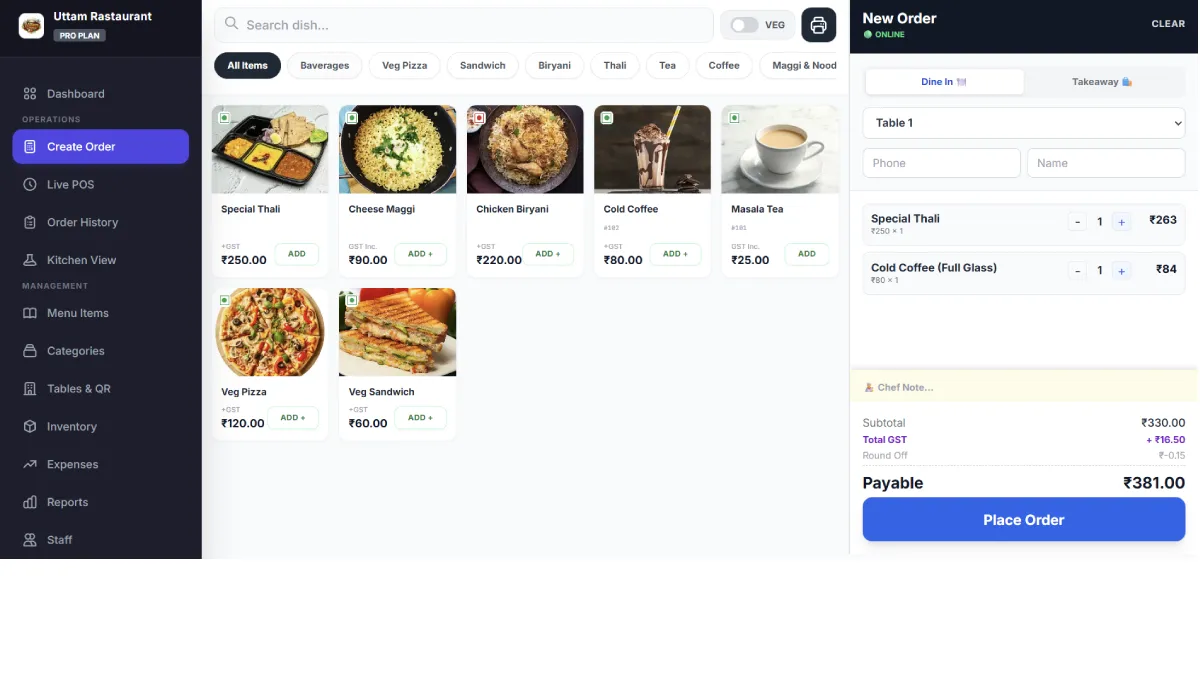
Create Order
The Starting Point
It starts here. The customer scans a QR code to order, or the cashier punches it on the touch-friendly POS. Select the table, add items with custom variants (like Extra Cheese), and hit "Send to Kitchen".
- Handle complex Item Variants & Add-ons easily
- Split Payments (e.g., ₹500 Cash + ₹300 UPI)
- Auto-saves offline if internet drops
Kitchen KOT
Digital & Instant
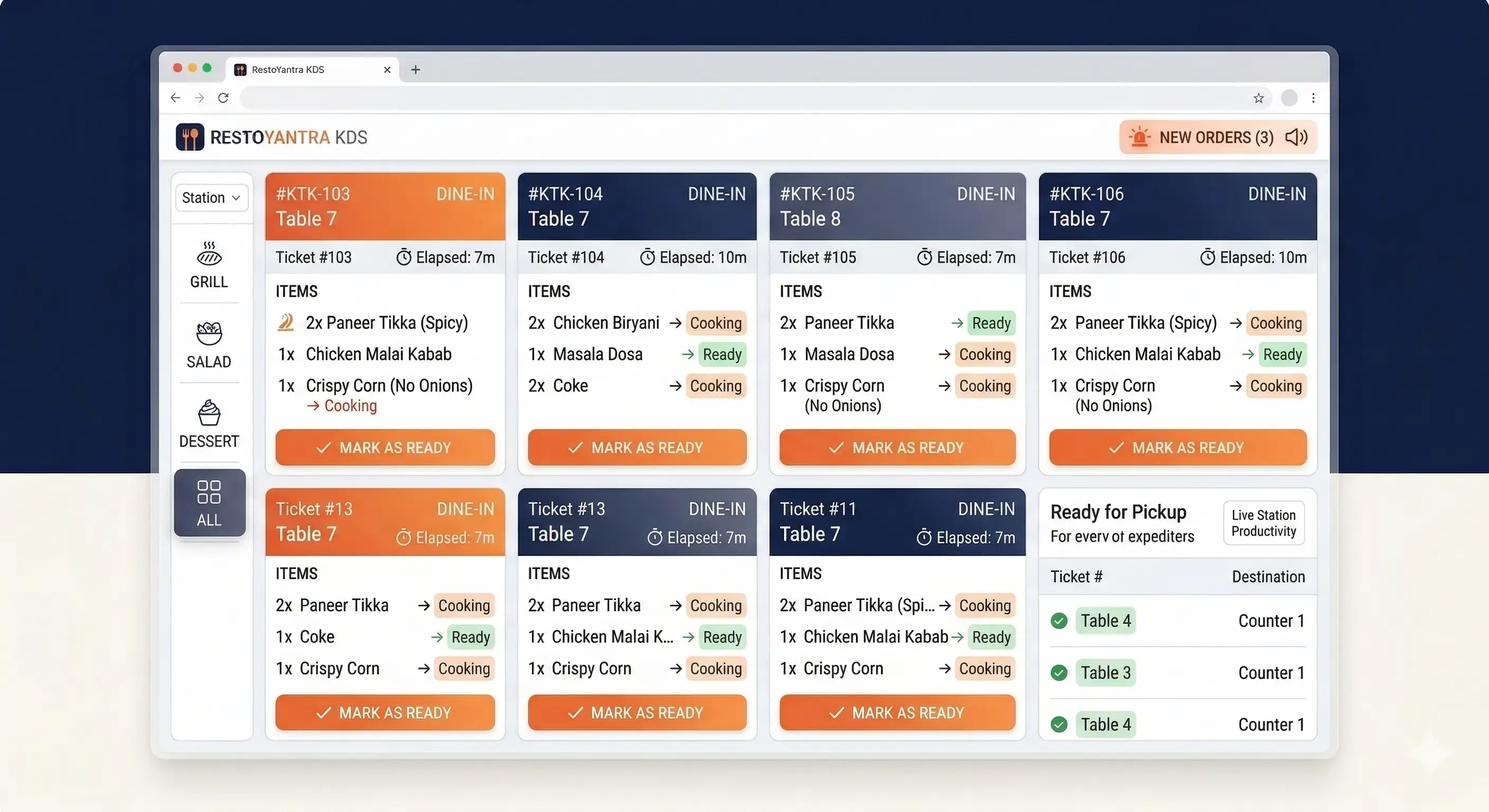
No more missing paper tickets. The moment an order is punched, it flashes on the Kitchen Display Screen (KDS) with an alert sound. Chefs know exactly what to cook and instructions to follow.
- Color-coded timers for delayed orders
- Route drinks to Bar, food to Kitchen automatically
- Mark items "Ready" to alert waiters
Live Order List
Manage Operations
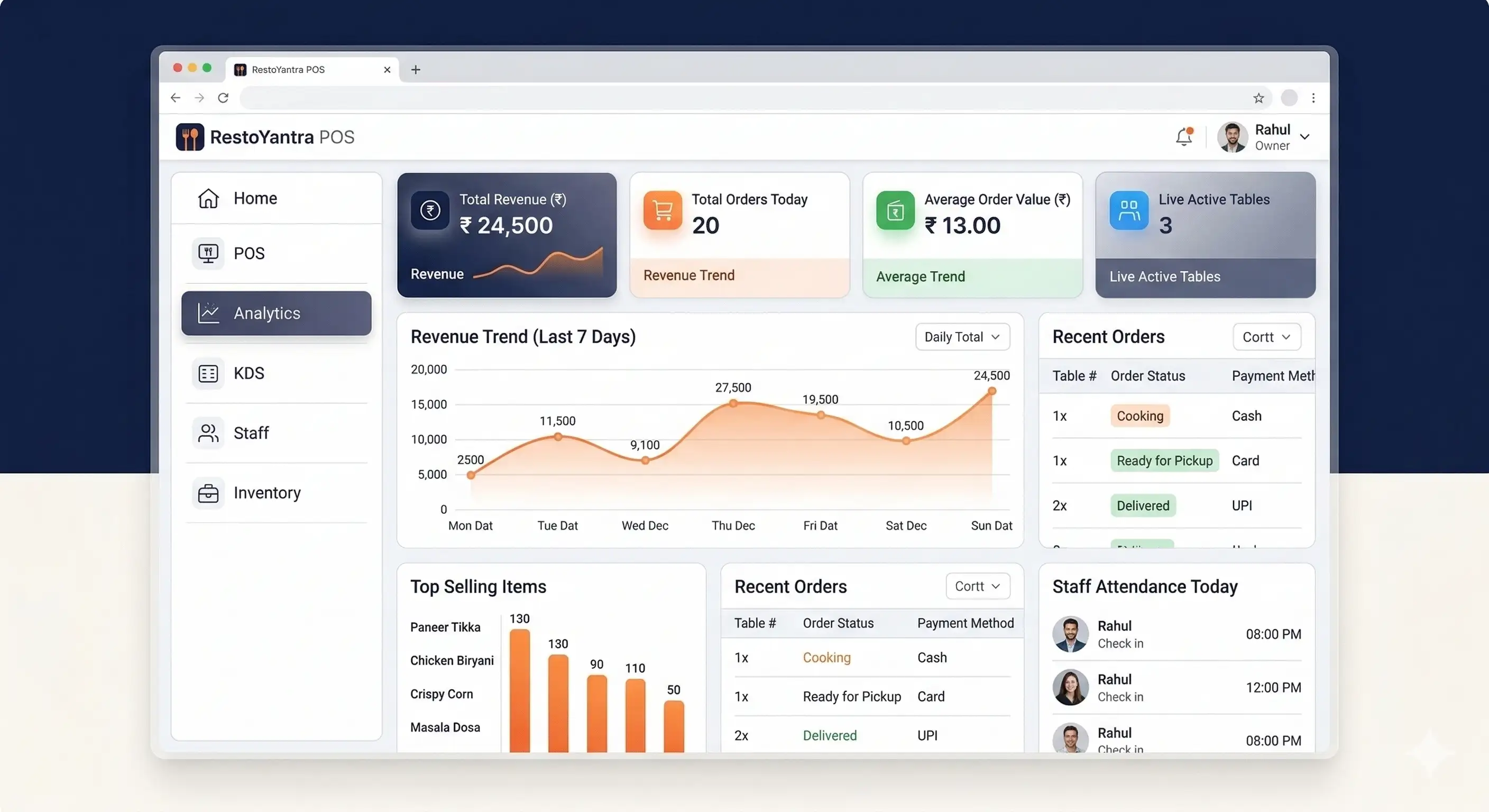
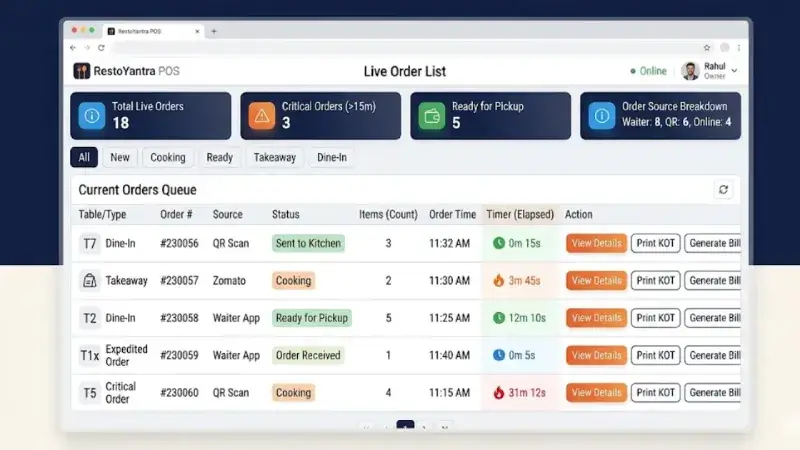
The central hub for your cashier. View all running tables, pending takeaways, and completed orders in one clean screen. Add more items to a running table, apply discounts, or mark orders as delivered.
- Live status (Cooking, Ready, Served)
- Settle payments via Cash, Card, or UPI
- Secure PIN required for voiding items
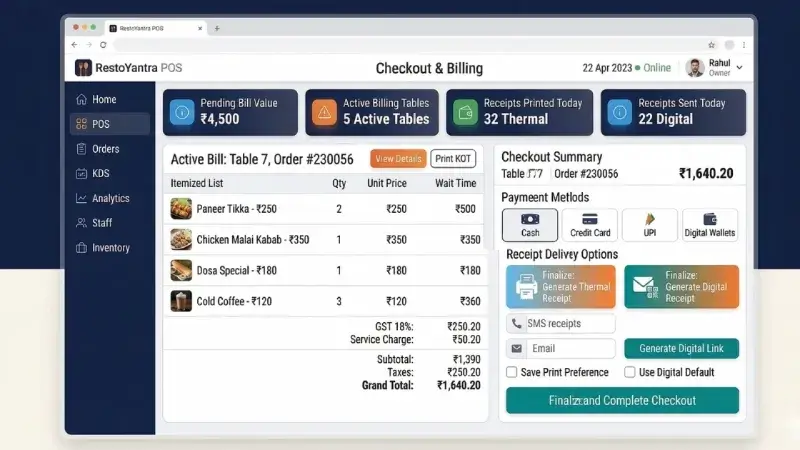
Checkout & Billing
Thermal & Digital
When the customer is ready to leave, generate a 100% GST-compliant bill instantly. Go traditional with a high-speed thermal print, or go green by sending a digital receipt directly to their WhatsApp.
- Send Bills & Feedback links via WhatsApp
- Auto-saves customer data to CRM
- B2B Corporate invoicing with GSTIN support
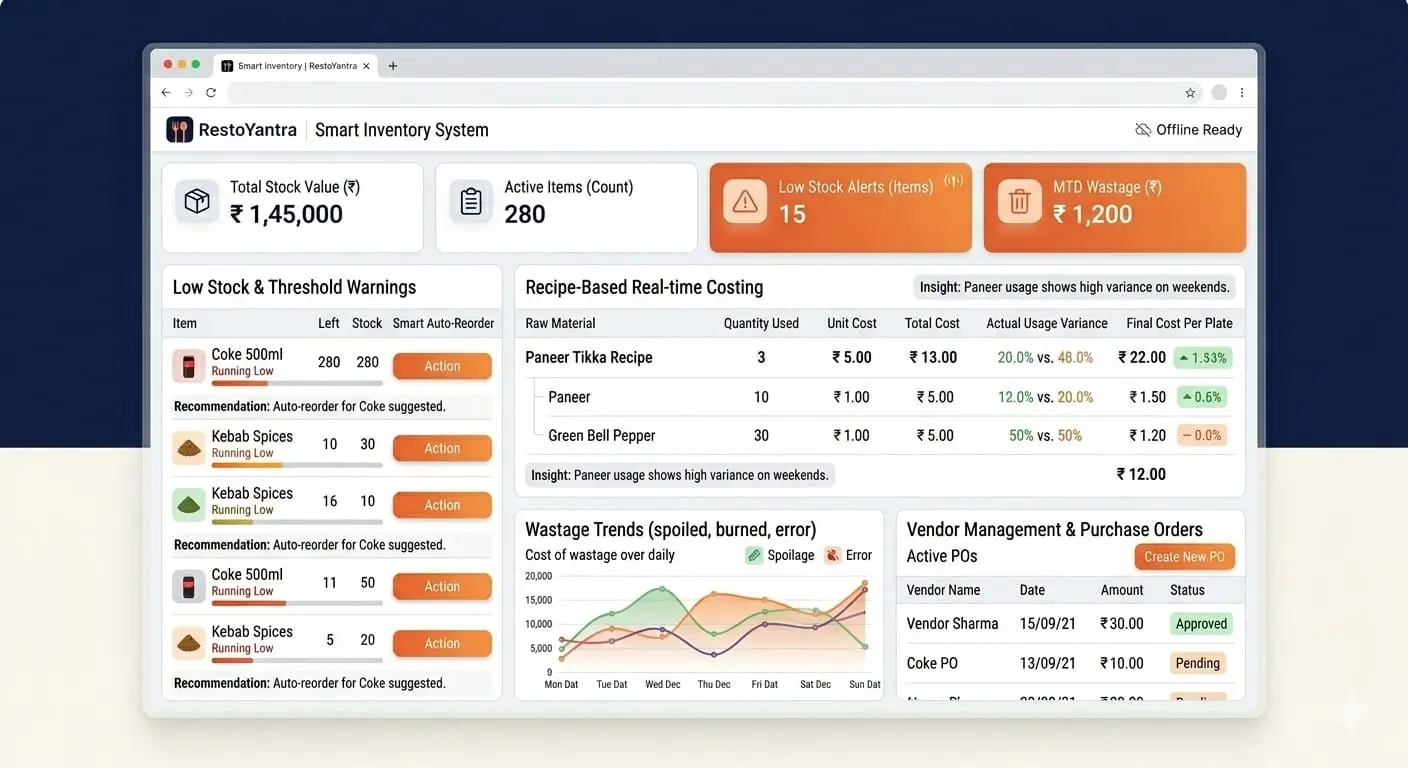
Smart Inventory
Auto-Stock Deduction
Behind the scenes, RestoYantra's Recipe Engine (BOM) goes to work. Selling 1 Pizza automatically deducts 1 Base, 50g Cheese, and 20g Olives from your raw material stock in real-time.
- 100% Theft & Wastage Control
- Low Stock Alerts generated automatically
- Exact cost-per-dish calculation
End of Day & Reports
The Owner's Hub
Close your daily shift by tallying the Cash Register denominations. Then, open your smartphone from anywhere to see detailed Profit & Loss, Vendor Ledgers, and total business health.
- Tally Opening & Closing Cash Drawer balances
- Exact P&L combining Sales, Vendor Purchases & Staff Salary
- 1-click GSTR reports (B2B/B2C) export for your CA
Ready to automate everything?
Experience this entire workflow in your own restaurant. Setup takes less than 2 minutes.